SHOPPING WITHOUT THE LOST MESSAGES
A shared shopping list the whole family can update
The milk ran out this morning, someone mentioned bread in chat and the note on the fridge stayed at home. A shared list catches an item when anyone remembers it — and it is still current in the store.
DIRECT ANSWER
How do you keep a shared shopping list for the whole household?
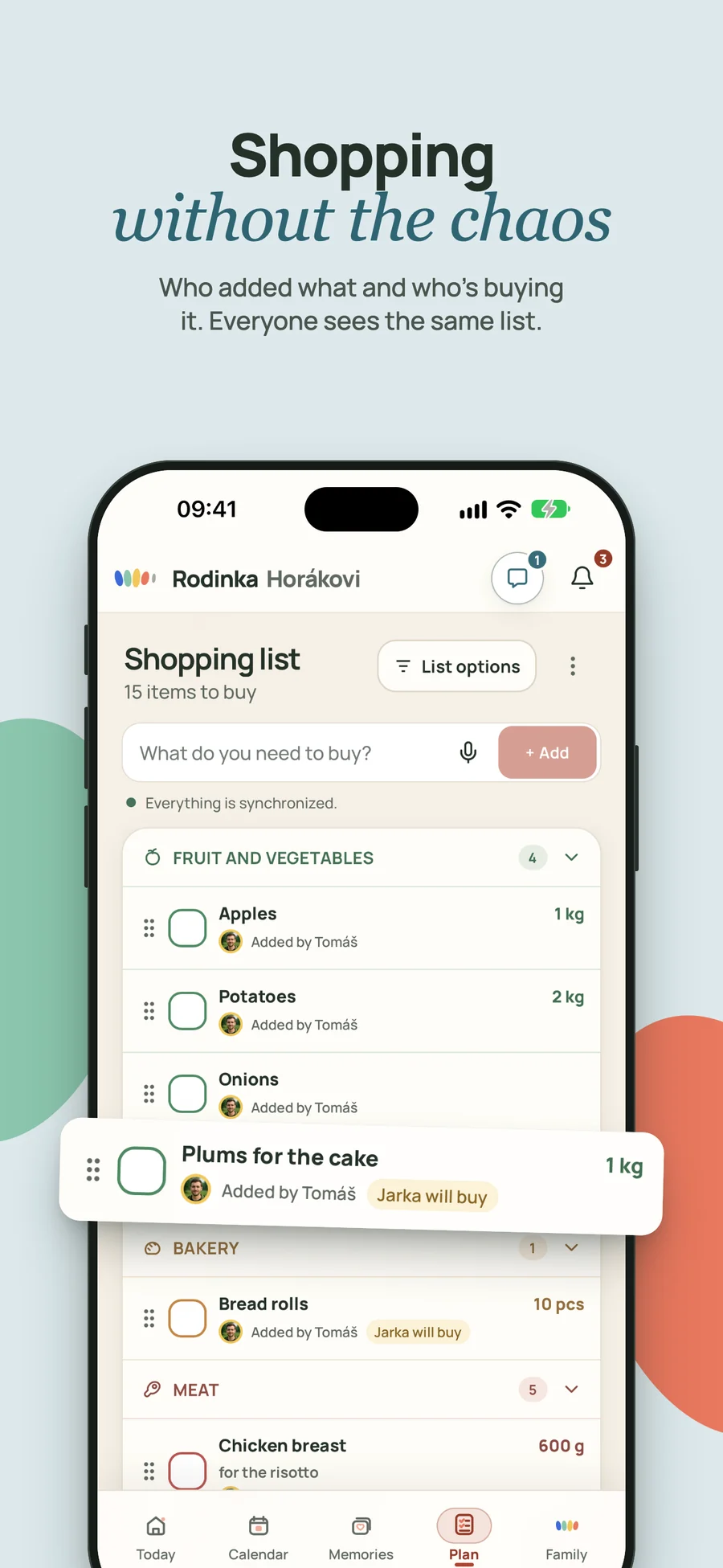
Rodinka gives the household one shared shopping list that family members can update as things run out. Items are checked off in that same list while somebody shops, so everyone sees the current state. There is no need to send a new version before every grocery trip.
SHOPPING WITHOUT THE LOST MESSAGES
Collecting the list is often harder than the shopping
Buying groceries is straightforward. Working out what is actually missing, whether someone has already added it and who is going to the store is the messy part. Paper only works where it is left, while a chat message quickly disappears.
With one household list, it matters less who ends up shopping. Everyone can add items, completed ones are checked off and anything left stays available for later.
Something just ran out
The last milk or laundry detergent goes on the list immediately, not during a rushed memory test later.
In a shop with no signal
The list keeps working when the phone has no reception. Items you tick off catch up as soon as the connection returns.
Someone else is shopping
A partner stopping on the way home opens the same list without asking for an updated message.
Rodinka
How to keep a shared shopping list in Rodinka
The list belongs to your family space, so invited household members can open and update it on a phone or computer.
- 1
Add items by typing or by voice
Capture an item when you notice it. On supported devices you do not have to type: say what has run out and Rodinka turns it into items you review, edit and confirm before anything is added.
- 2
Shop from the same version, signal or not
Check things off in the store. Everyone else can see what is done and avoid adding or buying it twice, and the list keeps working offline until the connection returns.
- 3
Connect shopping with meals
When you choose dinners for the week, add the ingredients you need so the meal plan is practical.
Practical questions about shared grocery lists
How do I share a grocery list with my partner?
Use one list inside a shared family space. Both of you can add and check off items, so there is no need to send a fresh version before every trip.
Is an app better than a paper shopping list?
Paper is quick beside the fridge. A shared digital list is also available away from home and can be updated by several people, which helps when different family members shop.
Can I dictate the shopping list?
On supported devices, yes. You say what is missing, Rodinka turns it into separate items and shows them for confirmation — only then are they added. You can edit or remove anything it got wrong first, and no recording or transcript is stored.
Does the list work without a signal?
Yes. The shopping list is built to be used offline: you can keep adding and ticking off items in the shop, and the changes catch up once the phone reconnects.